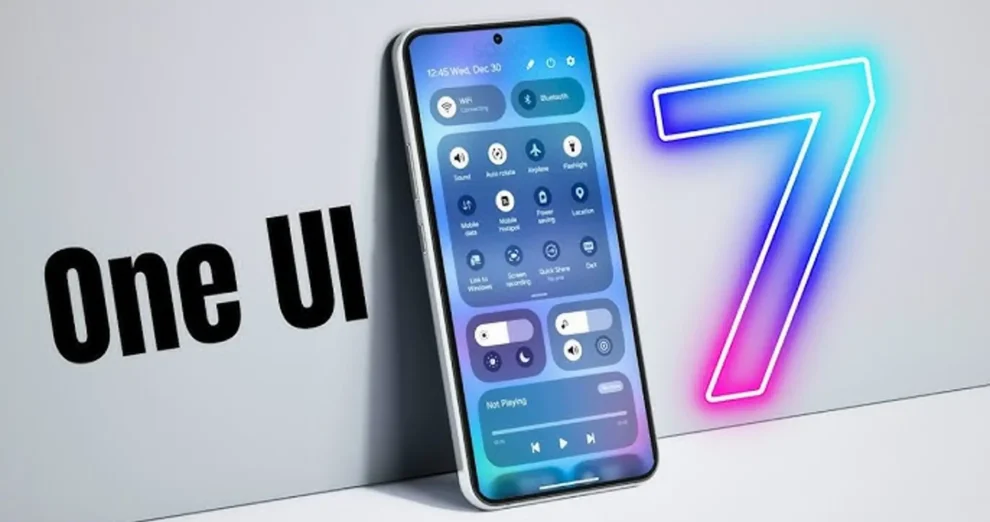
Samsung’s One UI 7 Update Schedule Leaked for Galaxy S24 and Earlier Models

Samsung’s upcoming One UI 7, which will be based on Android 15, is set to make its debut on eligible smartphones, but the company is expected to roll out the update later than some of its competitors. While brands like OnePlus and Oppo have already begun deploying their Android 15 updates for flagship devices, Samsung has not yet officially confirmed when it will begin the One UI 7 beta testing phase. However, a recent leak has revealed potential timelines for when Samsung Galaxy S-series devices will receive both the beta and stable versions of One UI 7.

According to a tipster on X (formerly Twitter), the One UI 7 beta program could kick off as early as next month. The leak, attributed to Samsung insiders, suggests that Samsung will initiate the beta phase for the Galaxy S24 series, which includes the Galaxy S24, S24+, and S24 Ultra, during the first week of December. This timeline means that users of Samsung’s latest flagship series could be among the first to experience the new features and improvements of Android 15 under the One UI 7 skin.

The leak also hints at the possibility of a wider rollout for older Galaxy S-series devices after the S24 series gets its beta update. Samsung typically offers a gradual rollout of its major updates, starting with its newest devices and then expanding to earlier models. The stable release of One UI 7 is expected to follow the beta testing phase, which may take several weeks or months depending on the feedback and testing results.

While the official confirmation from Samsung is still pending, these leaked details provide some insight into the company’s update strategy for its Galaxy S series. One UI 7 is expected to bring several enhancements, including UI tweaks, performance improvements, and deeper integration with Android 15’s new features. Samsung users are eager to see how these changes will improve their device experience, particularly given the delays compared to other manufacturers.

Google Messages Introduces Unified Camera and Gallery UI, Beta Update Adds Image Quality Selection

Google Messages has unveiled a redesigned user interface (UI) for sharing photos and videos via Rich Communication Services (RCS), streamlining the process by merging the camera viewfinder and gallery picker. Instead of displaying the combined camera UI with recent images and folder options, the updated layout places the camera viewfinder as the dominant feature, while the gallery images are now positioned at the bottom of the screen for easy access. This update aims to create a more intuitive and seamless experience for users when sending media through the app.

The changes were introduced with the Google Messages beta app version 20241118_03_RC00, as reported by 9to5Google. When users tap the gallery icon, they are now greeted by the new interface, which prioritizes the camera viewfinder. This shift not only optimizes the space on the screen but also enhances the overall user experience by simplifying media selection. The update is part of Google’s ongoing efforts to improve the functionality and aesthetic appeal of its messaging platform.

Another notable feature that comes with this update is the ability to select the media quality before sending photos and videos. Users can choose between HD and HD+ options, depending on their preferences and data usage considerations. The HD option is optimized for a lower-quality chat experience, while the HD+ option allows users to send media at its full resolution without compression. However, sending media in HD+ will consume more data and take longer to transmit, so users should be mindful of their connection speeds and data limits.

For users who choose to send images in higher resolution, the update adds an “HD+” tag at the bottom of the image, indicating the enhanced quality. This new feature provides more control over the media experience, ensuring that users can share content at the quality level that best suits their needs. As this feature rolls out, it is expected to further elevate the media-sharing experience on Google Messages, making it a more versatile and user-friendly platform for communicating via RCS.

YouTube Shorts Enhances Dream Screen AI with Video Background Generation Feature

YouTube has introduced a significant upgrade to its AI-driven Dream Screen feature for Shorts, expanding its functionality to include video background generation. Initially launched for testing in June, Dream Screen previously allowed creators to generate AI-powered image backgrounds for their vertical short videos. However, with this latest update, users can now create custom video backgrounds, opening up new creative possibilities for content production. As of now, this enhanced feature is experimental and accessible to a select group of creators in specific regions, with no timeline announced for a broader rollout.

In an announcement on X (formerly Twitter), the YouTube Creators account shared details about the new video background generation feature. The feature remains limited to creators in Australia, Canada, New Zealand, and the US, highlighting YouTube’s cautious approach to scaling its AI tools. By offering this functionality on an experimental basis, YouTube is likely collecting feedback to refine the tool further before making it widely available.

Dream Screen allows creators to craft unique backgrounds by simply entering a text prompt. For example, users can describe the scene they want—such as a bustling cityscape or a serene beach—and the AI model generates a matching background in either image or video format. This innovative tool is powered by Google’s AI video model, Veo, developed by its DeepMind division. Veo’s integration ensures that the generated content is both high-quality and responsive to user prompts, enhancing the overall creative experience.

With the addition of video background generation, Dream Screen positions itself as a powerful asset for YouTube Shorts creators aiming to stand out in a competitive content landscape. By enabling dynamic, AI-driven customization, YouTube is empowering users to create visually engaging content with minimal effort. As the feature evolves, it has the potential to become a staple tool for creators looking to elevate their storytelling and artistic expression on the platform.